Most small businesses have a CRM. Very few actually use it properly. The tool sits there with a few hundred contacts, a handful of deals in the pipeline, and no systematic process driving activity. Leads come in, get followed up with once, and disappear into a spreadsheet. Revenue that should have been captured wasn't — not because of bad products or pricing, but because of follow-up failure.
CRM automation solves this. Not by adding more complexity, but by removing the human dependency from the parts of the sales process that don't require human judgment — follow-up timing, lead routing, pipeline stage transitions, and reminder sequences.
This guide covers how to build a CRM automation system that ensures every lead gets followed up, every deal gets the attention it deserves, and your pipeline reflects reality rather than optimism.
Why most CRMs fail (it's not the software)
The most common CRM failure mode is not a technology problem. It's a human behaviour problem. CRM systems are built on the assumption that sales people will manually update every interaction, every note, every stage change, every follow-up scheduled. In practice, this requires a level of administrative discipline that most people — especially in small businesses where salespeople are also doing everything else — simply don't maintain under pressure.
The result: the CRM is always 3 weeks out of date. Nobody trusts the pipeline. Managers stop looking at it. Reps stop updating it. The tool becomes a graveyard of outdated deals and forgotten contacts.
CRM automation solves this by removing manual data entry from routine tasks. When a lead fills out a form, they appear in the CRM automatically. When they open an email, a task is created automatically. When a deal hasn't moved stages in 7 days, the rep gets a notification automatically. The system maintains itself — humans only intervene where judgment is required.
Automated lead scoring: prioritise your pipeline intelligently
Not all leads deserve equal attention. A lead from a referral who has visited your pricing page three times and opened every email is worth more of your time than a cold lead who filled in a generic contact form. Manual prioritisation requires judgment and memory. Automated lead scoring does it systematically.
Lead scoring assigns points based on:
- Fit criteria (demographic/firmographic). Company size, industry, role, geography — does this lead match your ideal customer profile? Assign positive scores for matches, negative for mismatches.
- Behavioural signals. Email opens (+2), email clicks (+5), pricing page visit (+10), booking page visit (+15), video watched 75%+ (+8), form submission (+20).
- Negative signals. Competitor domain email (-15), wrong job title (-10), unsubscribe (-50).
When a lead crosses a score threshold (for example, 50 points), the CRM automatically: assigns the lead to a sales rep, creates a high-priority follow-up task, sends the rep a notification with the lead's full activity history, and adds the contact to a priority pipeline stage.
This means your team focuses energy on the leads most likely to close — not the ones who happened to reply first.
Pipeline stage automation: make the pipeline self-updating
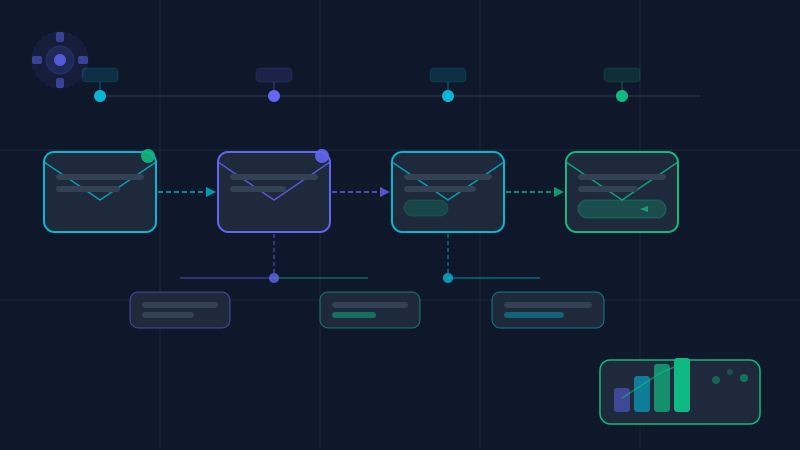
A well-automated CRM pipeline moves deals through stages based on actions taken — not based on what a rep remembered to click. Here's what each stage transition should trigger automatically:
- Lead → Contacted. Triggered when the first outbound email or call is logged. Creates a follow-up task for 3 days later if no response is received.
- Contacted → Meeting Booked. Triggered when a calendar booking is confirmed (via Calendly or equivalent integration). Sends a meeting confirmation and prep email to the prospect automatically.
- Meeting Booked → Proposal Sent. Triggered when a proposal document is created and sent. Starts a 5-day follow-up sequence if the proposal isn't opened.
- Proposal Sent → Negotiation. Triggered when the prospect replies to the proposal. Alerts the rep and creates a negotiation task.
- Negotiation → Closed Won/Lost. Manually set by the rep — this requires human judgment. On Closed Won, triggers onboarding sequence. On Closed Lost, triggers a 90-day re-engagement sequence.
With this architecture, deals move through the pipeline based on what's actually happening — not based on optimistic manual updates.
Automated follow-up sequences: never let a lead go cold
The single biggest source of lost revenue in most SMB sales processes is inconsistent follow-up. Research from the Sales Management Association shows that 80% of sales require 5+ follow-up touchpoints, but 44% of salespeople give up after just one follow-up. The deals are not lost because prospects said no — they're lost because the rep stopped reaching out.
Automated follow-up sequences solve this:
- After initial outreach with no response: automated email on day 3, day 7, day 14
- After a proposal is sent with no response: automated email on day 2, day 5, day 10 (different angle each time — value reminder, case study, offer to adjust scope)
- After a meeting with no follow-up action: automated summary email + next steps reminder on day 1
- After Closed Lost: automated 90-day nurture sequence reactivates the relationship without rep effort
Each automated touchpoint should be personalised enough to feel human. Use the contact's name, reference the specific service they enquired about, and tailor the angle based on their pipeline stage. Modern CRM tools allow this level of personalisation without manual effort.
CRM + WhatsApp integration
In 2026, WhatsApp is often the primary communication channel for service business leads — especially in markets where WhatsApp is the default messenger. Integrating WhatsApp with your CRM creates a complete picture of every customer interaction and enables automated messaging alongside email sequences.
Practical integrations:
- New lead submits a form → automatic WhatsApp message sent within 60 seconds ("Hi, we received your enquiry — we'll be in touch shortly. In the meantime, here's what to expect...")
- Lead goes cold after 14 days → WhatsApp re-engagement message triggered automatically
- Meeting confirmed → WhatsApp reminder sent 24 hours and 1 hour before the meeting
- Proposal sent → WhatsApp message with link and summary sent alongside the email
Tools for WhatsApp + CRM integration: WhatsApp Business API via 360dialog or Twilio, connected to HubSpot or Pipedrive via Make.com. The setup requires a verified WhatsApp Business account but delivers significantly higher open rates than email alone (WhatsApp open rates average 98% vs 20–25% for email).
AI deal scoring: predicting which deals will close
Beyond lead scoring (which measures engagement and fit), AI deal scoring predicts close probability for active pipeline deals. Tools like HubSpot's AI forecasting, Salesforce Einstein, and Pipedrive's AI Assistant analyse:
- Time in current pipeline stage (deals stuck longer than average are at risk)
- Number of touchpoints relative to similar closed-won deals
- Engagement signals (email opens, link clicks, document views)
- Deal value relative to your typical contract size
- Prospect's response time patterns
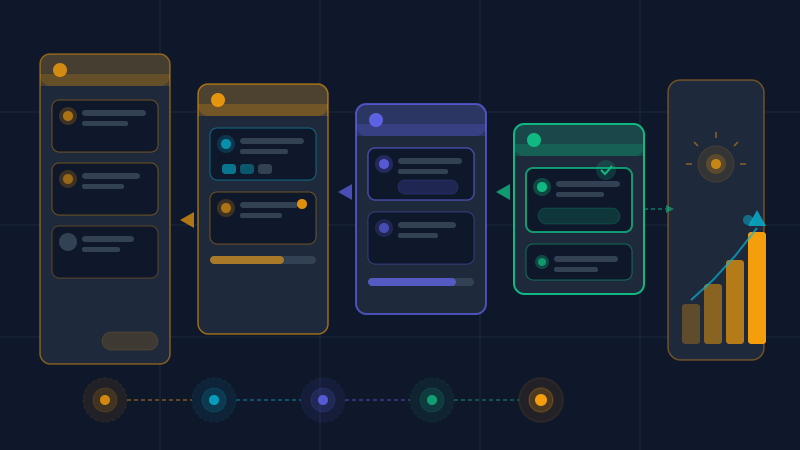
The output is a probability score per deal that updates in real time. Reps can see immediately which deals need attention and which are tracking towards close. Managers can build accurate revenue forecasts from probability-weighted pipeline values rather than gut feel.
Integrating CRM with your marketing stack
A CRM in isolation is useful. A CRM connected to your full marketing stack is transformative. The integrations that deliver the most value for SMBs:
- CRM + Email marketing. When a deal closes, remove the contact from nurture sequences and add them to onboarding. When a contact opens 5 emails without converting, trigger a sales alert. Bidirectional data flow between CRM and email tool (HubSpot, Klaviyo, ActiveCampaign).
- CRM + Google Ads. Upload your customer list to Google Ads for customer match — serve ads to similar audiences. Exclude existing customers from cold prospecting campaigns. Track which ad campaigns generate your highest-LTV customers, not just cheapest leads.
- CRM + Calendar. Calendly/Cal.com integration means every booked meeting automatically creates a CRM deal, assigns a rep, and starts the meeting preparation sequence. Zero manual data entry.
- CRM + Accounting. Connect HubSpot or Pipedrive to Xero or QuickBooks — invoices trigger automatically when deals close, and payment status updates in the CRM without manual reconciliation.
How to implement CRM automation: the practical roadmap
The right implementation order for an SMB building CRM automation from scratch:
- Week 1: Set up your CRM properly — define pipeline stages that reflect your actual sales process, not the tool's default stages. Import existing contacts. Configure your domain email integration.
- Week 2: Build lead capture automation — connect your website forms, WhatsApp, and any other lead sources so new contacts appear automatically.
- Week 3: Build follow-up sequences — 5-email initial outreach sequence, 3-message WhatsApp integration, 90-day re-engagement flow for lost deals.
- Week 4: Configure lead scoring — define your ICP criteria and behavioural signals. Set the threshold that triggers automatic rep assignment.
- Month 2: Connect marketing stack — email platform, Google Ads, calendar, and accounting integrations.
- Month 3+: Enable AI forecasting and deal scoring once you have 30+ won/lost deals in the system for the AI to learn from.
Ready to automate your CRM pipeline?
We build and configure complete CRM automation systems for SMBs — from pipeline setup to WhatsApp integration to AI lead scoring. Get a free consultation to map your current process.
Get free CRM audit →